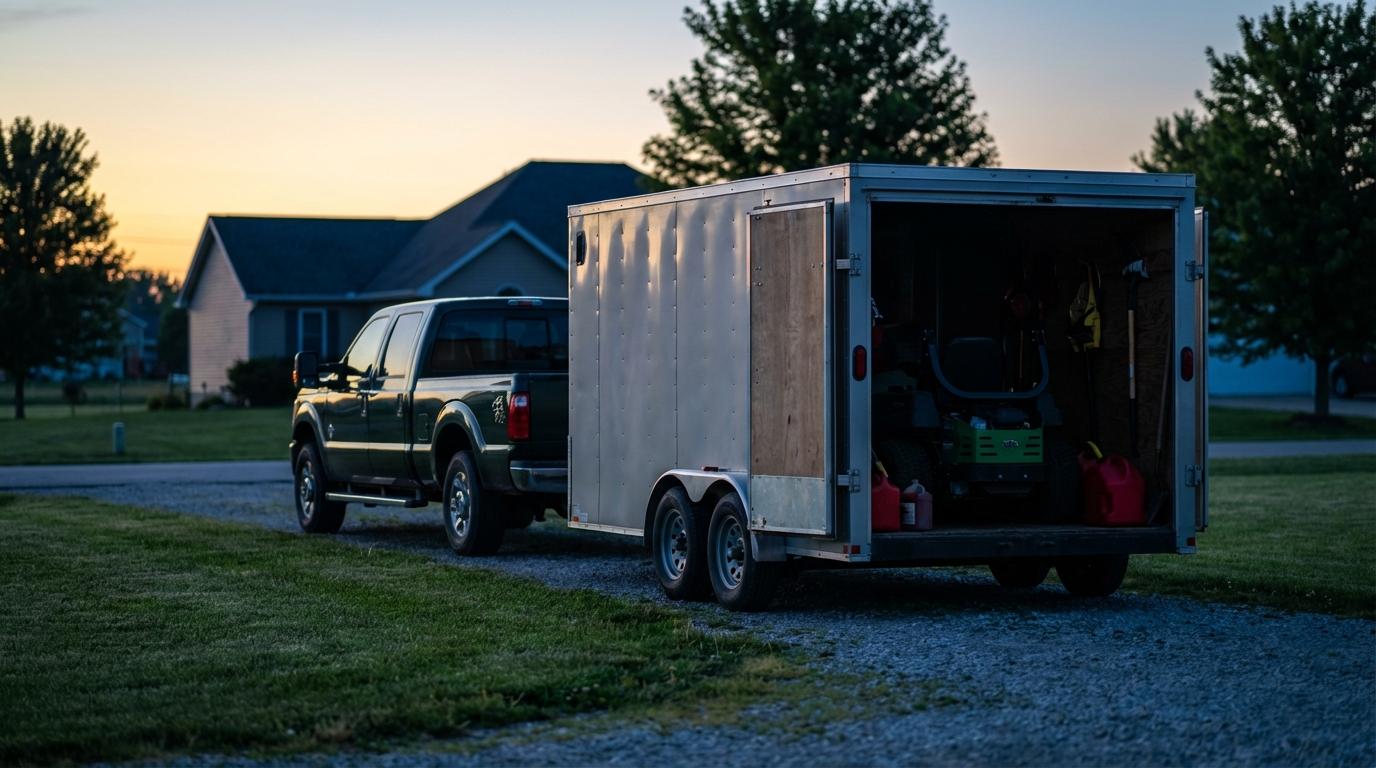
Crew trucks disappear off the schedule before noon.
A landscaping owner in Cleveland told me that last month. He runs a handful of crews and a couple of enclosed trailers, and he was not accusing anybody of stealing time. His problem was that he did not know where his crews were between the middle jobs of the day. By lunch the dispatch board on his wall was a guess, and when a homeowner called asking why nobody had shown up, he had to text a couple of foremen and wait.
Before I moved into logistics I drove delivery for a regional beverage distributor. Every Tuesday before sunrise, cold enough in April to see your breath, I stopped at the same Sunoco off the state highway, and the same landscaping crew was always there first. Their trucks idled at the pumps with a long open trailer behind, mowers strapped down and a blower cage bolted to the front. They came in for coffee already smelling like cut grass from the first property. Their boss had no idea where they were at that moment, and he probably didn’t need to. By mid-afternoon, with a customer on the phone, he would have.
Why a truck tracker misses the crew
Owners often buy a fleet tracker built for delivery vans, and landscaping doesn’t move like delivery. A truck sits at the curb for an hour while the crew works the property on foot, a walk away from it. Mostly the pickup is just where the tools ride.
An OBD dongle in a pickup will tell you the truck arrived. It won’t tell you that the foreman left in a second vehicle to get fuel, or that two guys got dropped at the next property early to start edging. Konvoyage tracks phones, so each person on the crew is a dot on the map.
Construction companies learned this a while back when their people kept switching pickups mid-shift.
What the office sees on a Tuesday in May
In peak season a crew can hit a dozen properties. Once the trucks leave the yard, the useful question for the office is which crew will finish in time for the afternoon irrigation job across town, and the location of a pickup only answers part of it.
Most dispatchers handle this with a clipboard and a phone, which works fine until something breaks. A mower throws a belt, or somebody calls out sick and a crew runs short, and the rest of the day compresses. The office usually finds out which jobs are at risk when the foremen start texting at lunch.
With a shared live map for field crews, the dispatcher sees the crew still parked at the Henderson property when they should have rolled a while ago. Each crew member joins a trip with a 6-character code on their own Android phone, signed in with the Google account already on it. Their dots update every few seconds while they move, even with the screen off in a pocket. The trip has one destination at a time, and the phone gives turn-by-turn directions to it. Whoever created the trip can change that destination as the day goes on. In the app’s member list you can see each person’s ETA to it.
That is enough to call the next client before they call you. It also lets you hand the last property of the day to a crew that finished early.
The office doesn’t need the app at all. Anyone in the trip can share a live view link, and it opens in a browser on the desk computer. It shows each crew member labelled by first name, with an arrival time like “arrives 14:32”. If a phone loses signal in a dead zone behind a big property, the page says “no signal” for that person instead of freezing their dot in the wrong place. You can send the same link to a commercial client who wants to know when the crew will show up, and they can’t see the trip chat or join anything.
Now the limit. Konvoyage does not plan your route around a long mow window at one property, and it won’t remember the gate code at the Patel house. Your foreman still knows things the software never will, and the map only shows you where people are while they work through his plan.
When a client says nobody came
Commercial contracts often ask for proof that the crew was on site. The old answer was a paper sheet signed by a property manager who usually wasn’t there when the mowing happened.
After a Konvoyage trip ends, members get a replay link that opens in a browser and works for 30 days. The replay shows the dots moving over the day, so you can watch the crew sit at a property and then leave. Next to it, a Timeline panel lists events with clock times, including when each person joined and when they arrived at the trip destination. It doesn’t draw fences around properties or write you a timesheet. If a client claims nobody came on Thursday, though, you can pull up Thursday and look.
Some tools do log site entry automatically with geofences. The write-up on geofencing for construction sites covers how that works with dedicated trackers. Konvoyage doesn’t have geofencing.
The trailer part of the title
Every landscaping owner I’ve talked to has a trailer story, and most of them end with the trailer gone for good. An enclosed trailer of commercial mowers and backpack blowers can easily hold $30,000 of equipment. Insurance pays some of it back eventually. Meanwhile you are cancelling days of work while you hunt for replacement machines.
Konvoyage tracks people, not trailers. When a crew is towing the trailer, you can see it on the map in the sense that you can see the crew pulling it. Once it’s unhitched and parked at the yard overnight, nothing is tracking it, because no phone in a trip is attached to it. If theft is the worry, buy a dedicated battery GPS tracker made for trailers and hide it somewhere inside. That is a different product, and a few hundred dollars well spent if your trailer sits in an open lot.
OSHA’s page on landscape and horticultural hazards is worth a read if you run crews. Theft isn’t its focus. It does make the point that equipment nobody has tracked or serviced is a safety problem as well as a money problem.
None of this works if the crew hates it
Landscape workers are suspicious of anything that feels like surveillance, and plenty of companies have earned that suspicion. If you use a map to interrogate every minute of someone’s day, your best foreman will quit and take a couple of guys with him. I’ve watched a manager do this with delivery drivers. He measured stop times down to the minute and never asked why one driver was slow, and that driver turned out to be the only one loading the truck in the right order for the next stop.
The crew sees the same map you do, which helps. They get directions to the next address without calling the office, and they can see where the other truck is when they need a trimmer line. Location is only collected while they’re in a trip, so when the trip ends, they’re off the map. Saved location points get deleted after about 30 days. Tell the crew all of that on day one, plainly, before anybody finds out on their own.
The Cleveland owner has been running a shared live map for a few weeks. Most of the status texts stopped, and the “where is my crew” calls dropped off. With the extra hour in his morning he finally noticed one crew lead who kept overbooking himself, and that was a bigger problem than any of the texting.
Setting it up for one crew on Monday
Start with your most reliable crew, not your problem crew. Have the foreman create a one-day trip each morning at the yard, with the first property as the destination. Only the creator can change the destination later, so the trip belongs with whoever moves the crew between properties. Each guy joins from his own phone with that day’s code before they pull out, and on the first morning you stand there to help. Someone in the trip shares the live view link to the office computer, and you leave that tab open.
Give it a full week before adding a second crew. A one-day trip means a replay link shows up every evening. On Friday, open Thursday’s replay and check it against what the foreman told you happened. For the trailers, order a proper trailer tracker this week, separately, and don’t wait for software to solve that one.