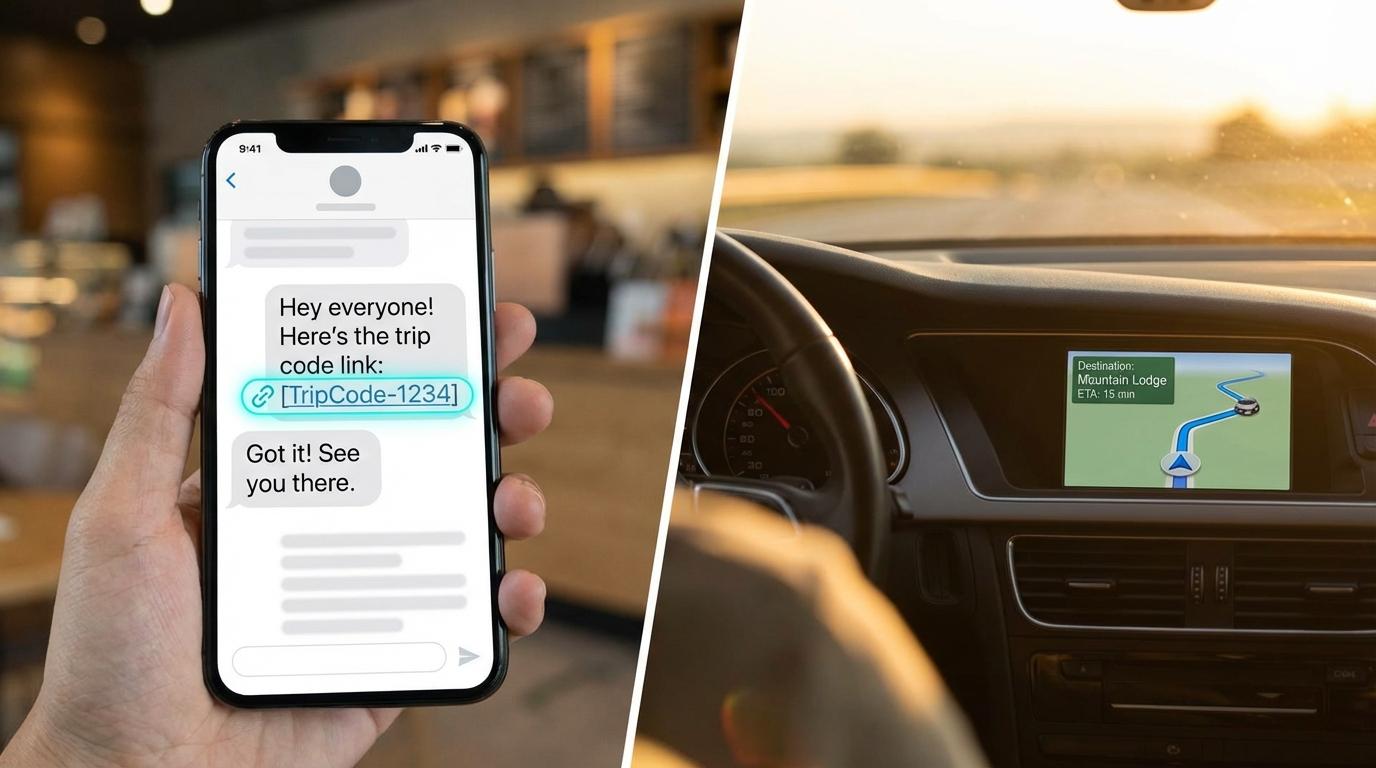
I have sent the wrong trip code to the wrong group chat more times than I will ever admit publicly. Once, I pasted a code from a completely different trip into a group thread, and everyone dutifully joined the wrong trip. We figured it out when someone asked why the destination pin was in Denver. Our actual destination was Austin. Sharing a trip code sounds like the simplest thing in the world, and it mostly is, but there are a few small ways it goes sideways (I have tested most of them, none on purpose).
Autocorrect is the other problem. A trip code is six capital letters and digits, and the keyboard in your messaging app desperately wants to turn it into a real word. Mine once changed a perfectly valid code into “HIJKLP”, which is not a word either, so I still have no idea what it was aiming for.
Use the Share Code Button
When you create a trip, the screen shows the code with a Share Code button right under it. Tap that instead of retyping anything. It opens the normal Android share sheet, so you pick your group chat the way you would for a photo, and what lands in the chat is “Join my convoy on Konvoyage!” followed by a link with the code at the end of it. (If you closed that screen too fast, the member list has the same Share Code button, and if you are still alone on the map after a couple of minutes, a card pops up with a “Share the code” button.)
The link is the part that saves everyone time. A friend who already has the app taps it and lands on the Join screen with the code filled in. Anyone who doesn’t have the app yet gets sent to the Play Store, and once they install it and sign in, Join opens with your code already waiting (this one surprised me, I expected to be reading it out to them). Nobody types a thing. Typing a random string from memory is exactly where people swap a zero for an O, and then the whole group stands in the driveway staring at “Trip not found. Check the code and try again.” while the coffee goes cold.
Timing matters a little too. Send the invite before the logistics conversation starts, or right after it ends. If it lands in the middle of who is bringing snacks and whether the dog is coming, people scroll straight past it and ask for the code again an hour later.
When You Cannot Use the Share Button
Sometimes the share sheet is not an option. Someone calls and says “what’s the code?” and you have to say it out loud, which is where it gets tricky, because letters and numbers sound alike and the person on the other end is probably holding their phone at arm’s length on speaker in a noisy car. If you are the driver, hand the phone to a passenger or wait until you stop (I know, but I am not reading out codes at highway speed and neither should you).
Say each character with an identifier. “Capital B, number seven, capital K.” Or go full phonetic alphabet if you are into that. Either way, you are removing the guesswork between characters that sound identical over a phone speaker, like B and D, or M and N, which blur together with wind noise in the background. Getting even one character wrong means the code will not work.
After you dictate, ask the other person to read it back.
On the receiving end, type it straight into the Join screen while they are still on the line, instead of scribbling it into a notes app first. The boxes there switch to capitals on their own and the keyboard does not suggest words, which is more than I can say for my notes app.
Confirming Everyone Is Actually In
After the code goes out, make sure every person tapped the link and actually joined, because otherwise someone ends up driving alone partway into the trip and texting “wait, where are you guys going?”
Right after the invite, send: “Reply when you are in.” Something vague like “let me know if you have trouble” gets silence from exactly the people who need the nudge. When someone has not replied after a few minutes, message them on their own. Usually they saw it, and then a delivery notification pulled them somewhere else. For bigger groups I skip the chat headcount entirely and open the member list in the app, because counting thumbs-up replies between messages about playlists and gas stops gets messy fast, and the list shows who is really in.
Say someone reports the code is not working. Capital letters are almost never the cause, since the Join screen fixes those. If they typed it by hand, look for a look-alike character, an O where there should be a zero or an I where a digit belongs. Pasting the whole invite message into the boxes with a long-press is fine too (the app picks the code out of the text). When none of that explains it, check they are not reading an older message with another trip’s code in it (see: Denver).
And if your group has a mix of phone types, do not worry about compatibility. Trip codes work identically across iPhone and Android, so the code you paste is the code everyone uses regardless of what device they are holding.
Before You Pull Out
Tap Share Code and send it to the group chat as its own message, ideally before the snack debate starts. Ask everyone to reply when they are in, then open the member list and check it against the people actually standing in the driveway. If a name is missing, text that person directly rather than the group (they answer faster when it is just them). Once you are already on the road, a passenger reads the code out, character by character, and the other person reads it back before anyone hangs up.